Required Headers
x-api-key: Your API key for the workspace.x-workspace-id: Your workspace ID.
API key permissions
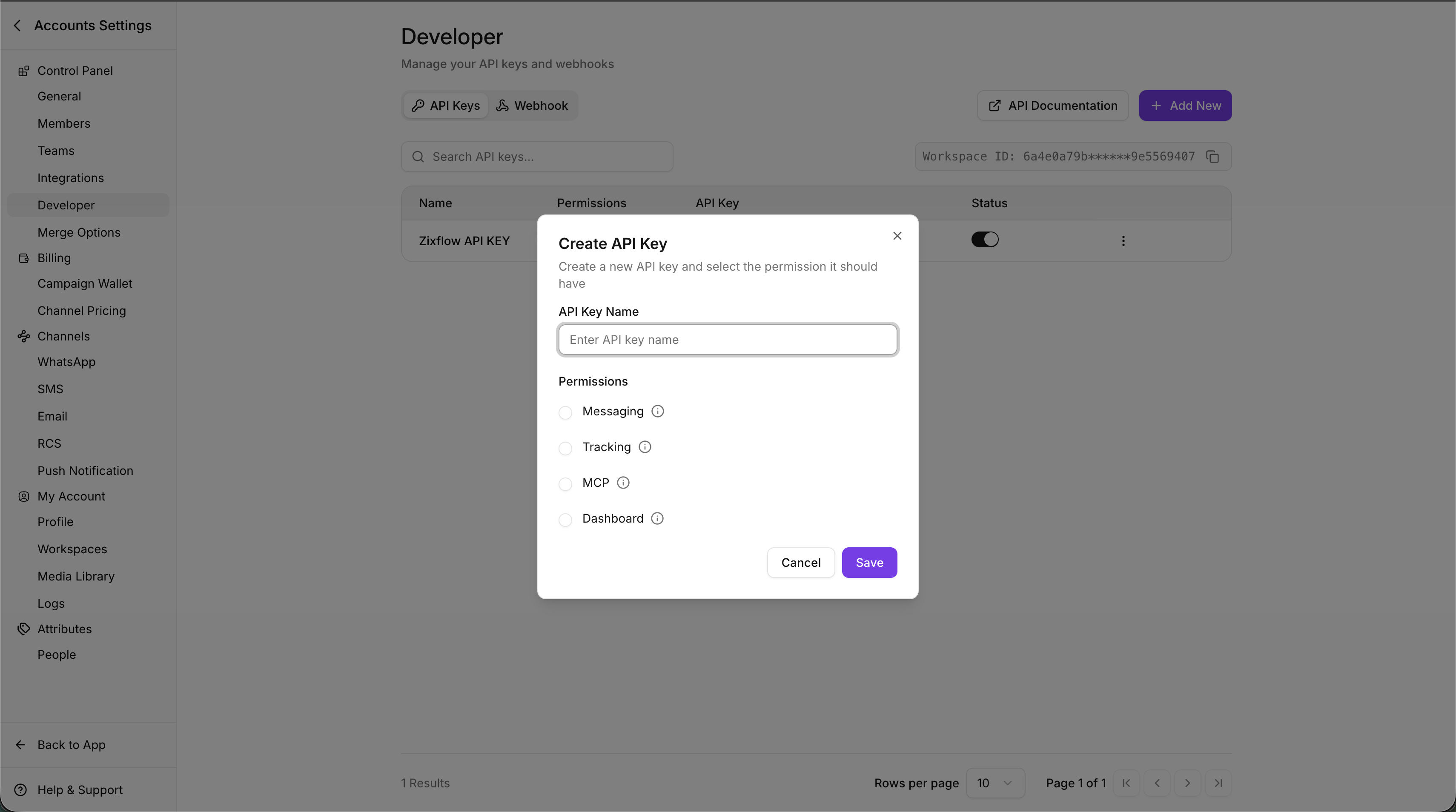
When you create an API key, you select one permission. Use the key that matches the APIs you call:
If the key is valid but does not have the required permission for an endpoint, the API returns
403.
Where to find your API key and workspace ID
You can create/manage your API key and copy your workspace ID from the Zixflow dashboard:- Dashboard path:
Settings > Developer > API Keys - Direct link:
https://ai.zixflow.com/settings/workspace/developer
Create an API key
- Open Developer → API Keys.
- Click + Add New.
- Enter an API Key Name.
- Select the permission (Messaging, Tracking, MCP, or Dashboard).
- Click Save.